Guide
Performance
Reading Creative Insights
Performance
2 min read
Creative Insights groups results by what the creative contains, so a pattern across thirty ads shows up where thirty separate rows would hide it. Start from the attribute, not the ad.
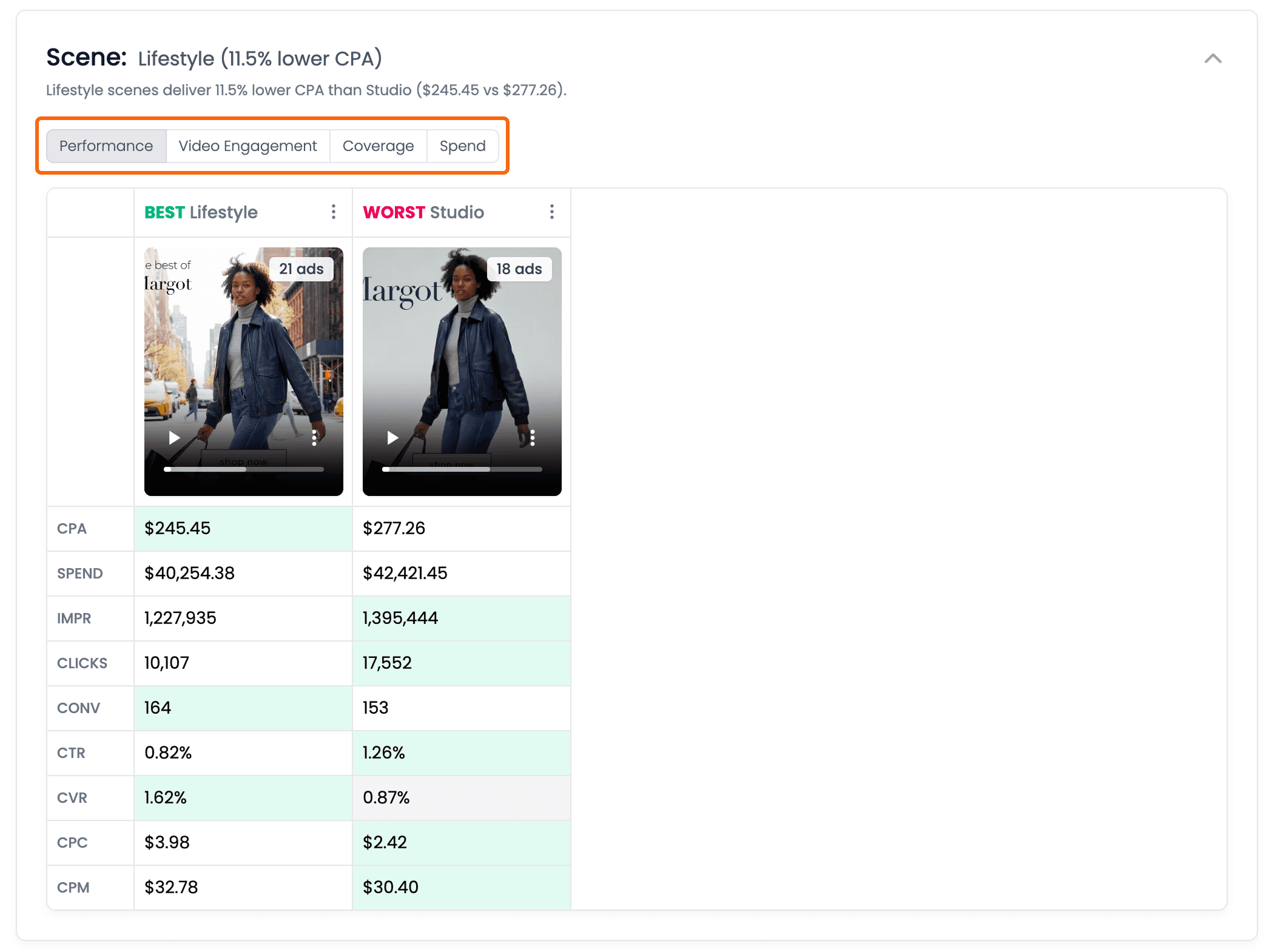
Every breakdown has the same four views — switching one switches them all.
Every breakdown has four views. The same data seen four ways — switch between them rather than exporting and rebuilding it elsewhere.
Set the date range from a preset. The common windows are one click, and month-to-date keeps the end at yesterday so you are not comparing a part-month against a whole one.
Expand or collapse the whole attribute list. Useful when a brand has a long tag vocabulary and you want the shape before the detail.
Coverage is shown inline. Insights describe the ads that carry tags, so knowing how much of your spend that is tells you how much weight to put on a finding.
No KPI data still shows your creative mix. If your ads have no data for the KPI you picked, like CPA on an account with no conversions, Creative Insights still shows what's in them — which products they feature and each one's share of spend — and explains why they aren't ranked, so you always know what you have in market.
Read it as direction for the next brief, not as a verdict on the last one.
Ask Adora Prompt Guide - BETA
Scenarios and copy-ready prompts for Performance Analysis, Content Creation, Ad Approval and Launch in Ask Adora.
Was this helpful?
Yes
No
